
Travel essentials
How to Set Up Alipay for a China Trip
Alipay is useful for small shops, transport and everyday purchases, but an overseas card is not the same as a Chinese bank account. Set it up and test it before you fly.
Manjing Travel
Updated 2026-10-134 min read
01
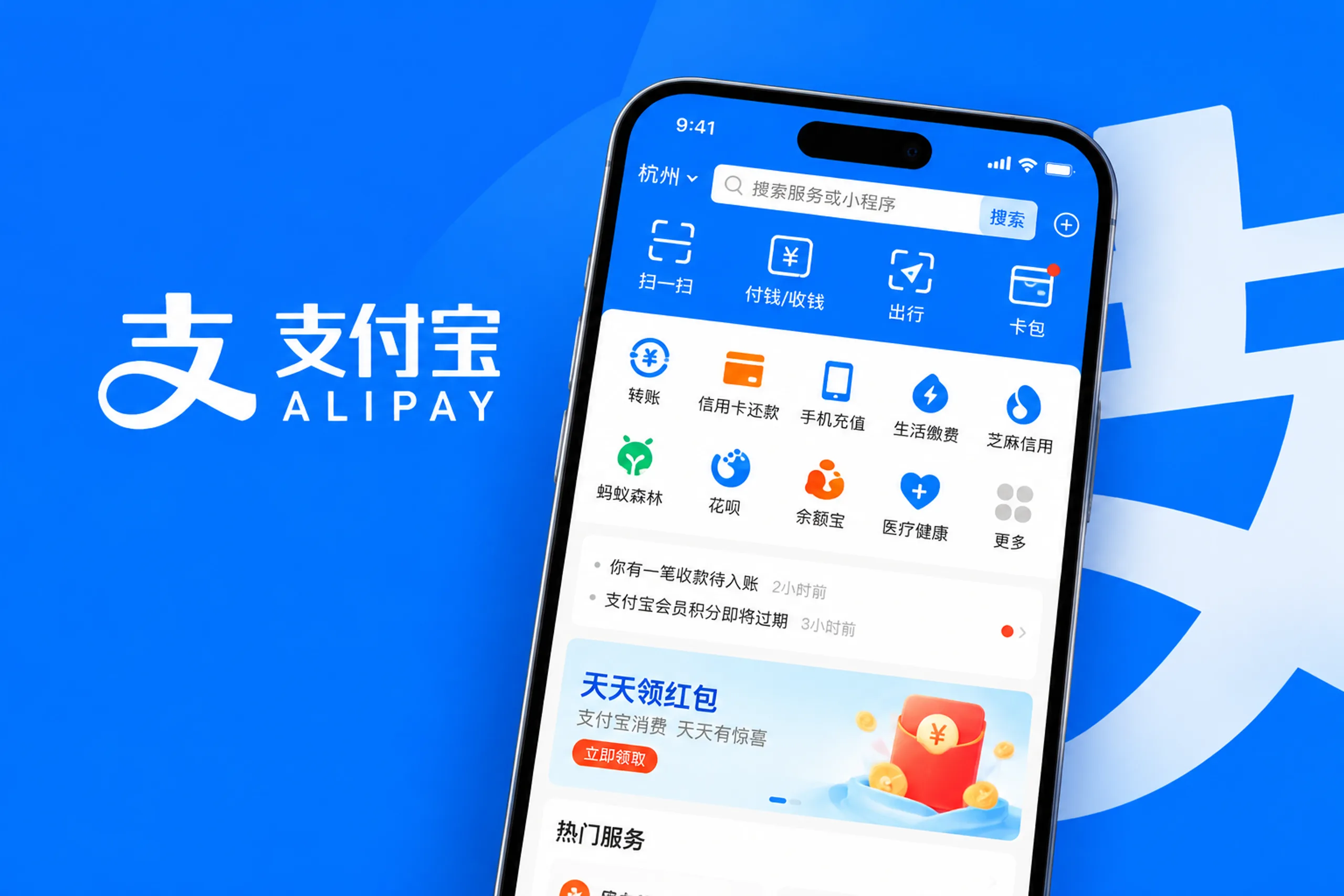
For many visitors, the simplest China payment setup is one working mobile wallet plus a physical card and a small amount of cash. Alipay can connect an eligible overseas bank card and can also open travel-related services inside the app. The exact card network, verification steps, transaction limits and fees depend on the account, card issuer, merchant and current Alipay rules.
02
Set it up at home
Download Alipay from the official app store for your phone. Register with the phone number you will keep available during the trip. Use your legal name and passport details exactly as they appear on the document you will carry. Turn on the phone permissions the app needs for camera access, notifications and location-based services.
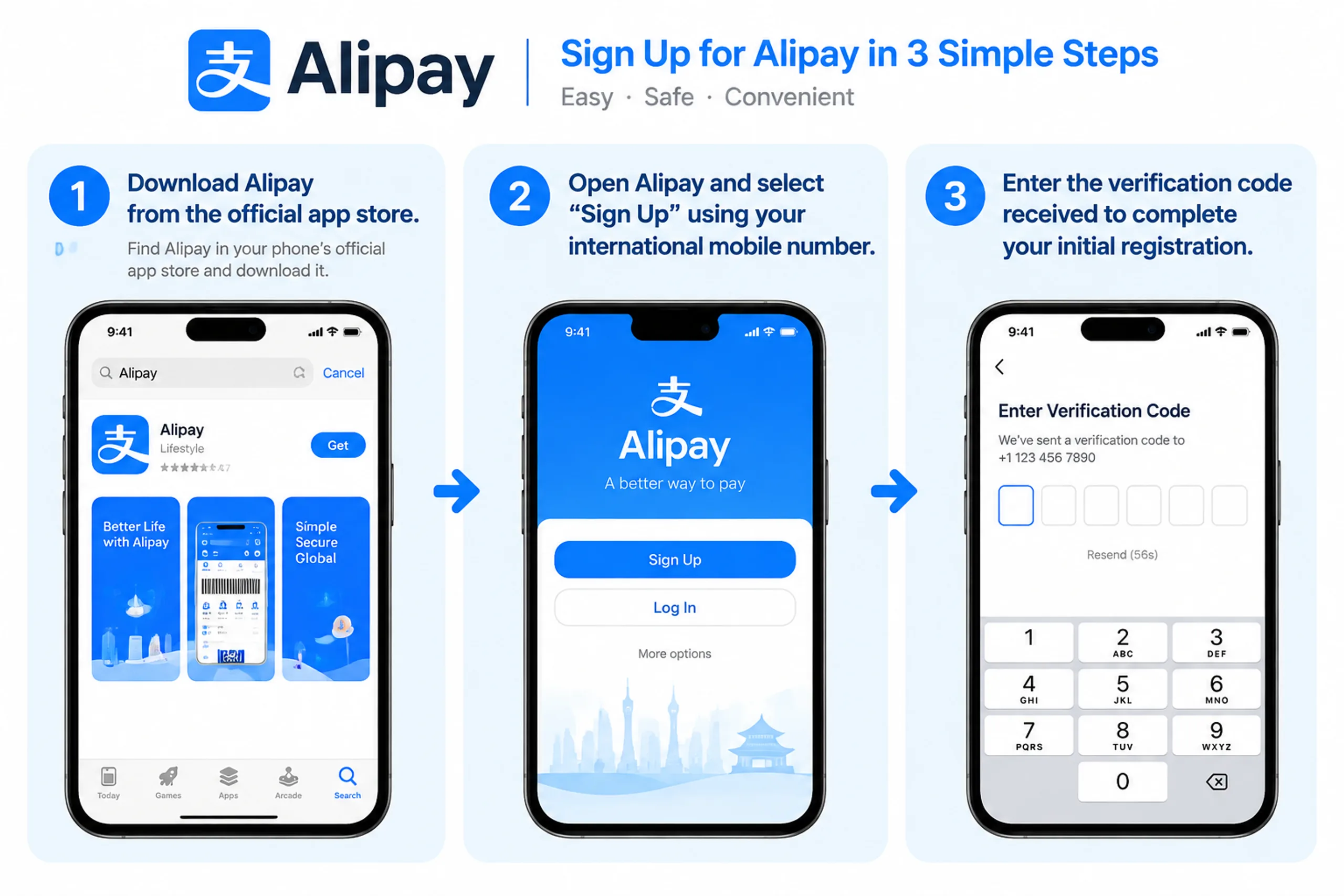
Add an international card through the account or bank-card section. Visa and Mastercard are commonly supported, but support is not a promise that every card, prepaid product or transaction will work. The app may ask for identity verification or a passport image. Complete that process before you are standing at a restaurant counter with a queue behind you.
Make a small test payment before departure if the app gives you a safe way to do so. At minimum, open the payment screen, check that the card is available, and make sure you know the passcode or biometric setting that confirms a transaction.
03
Paying in a shop
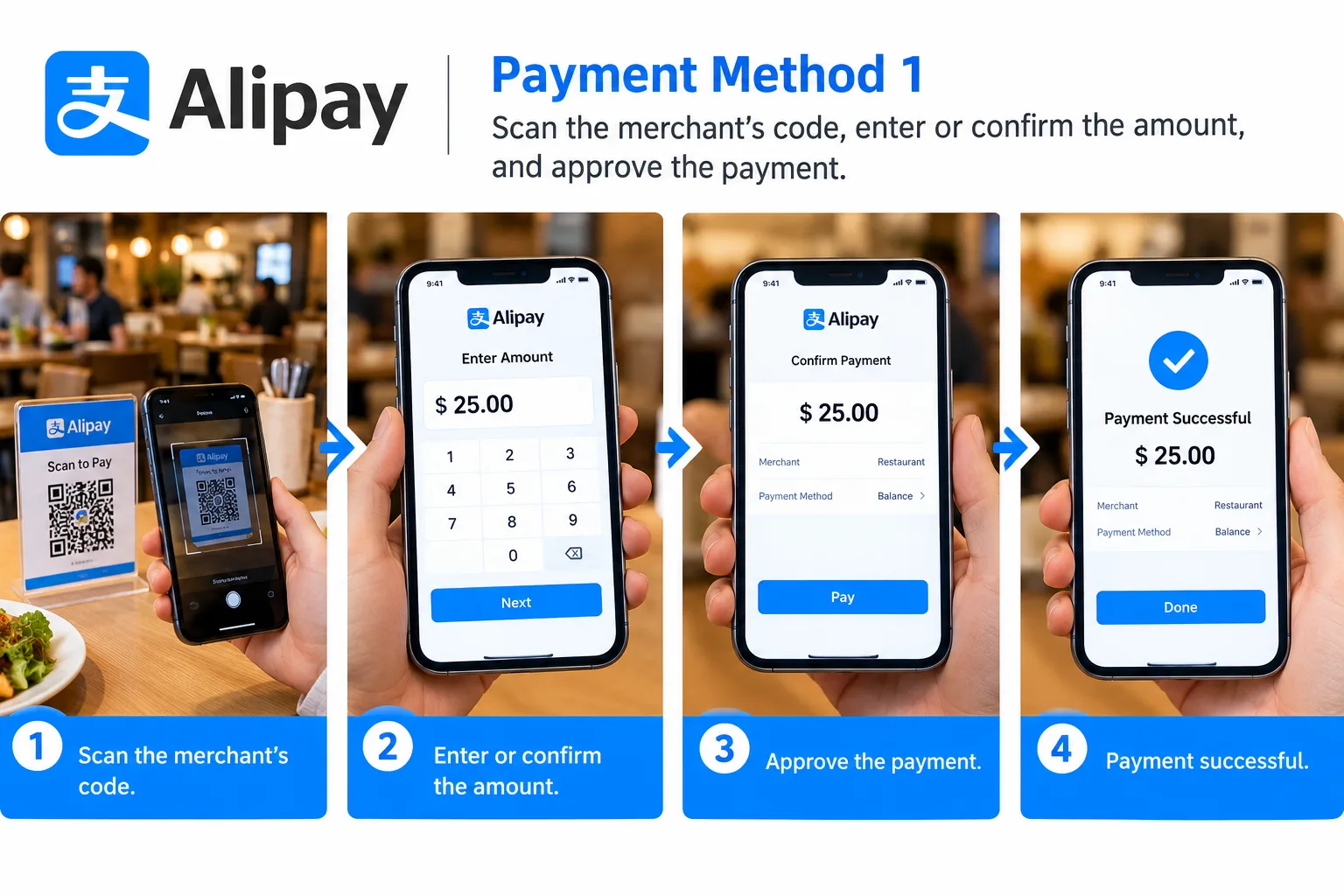
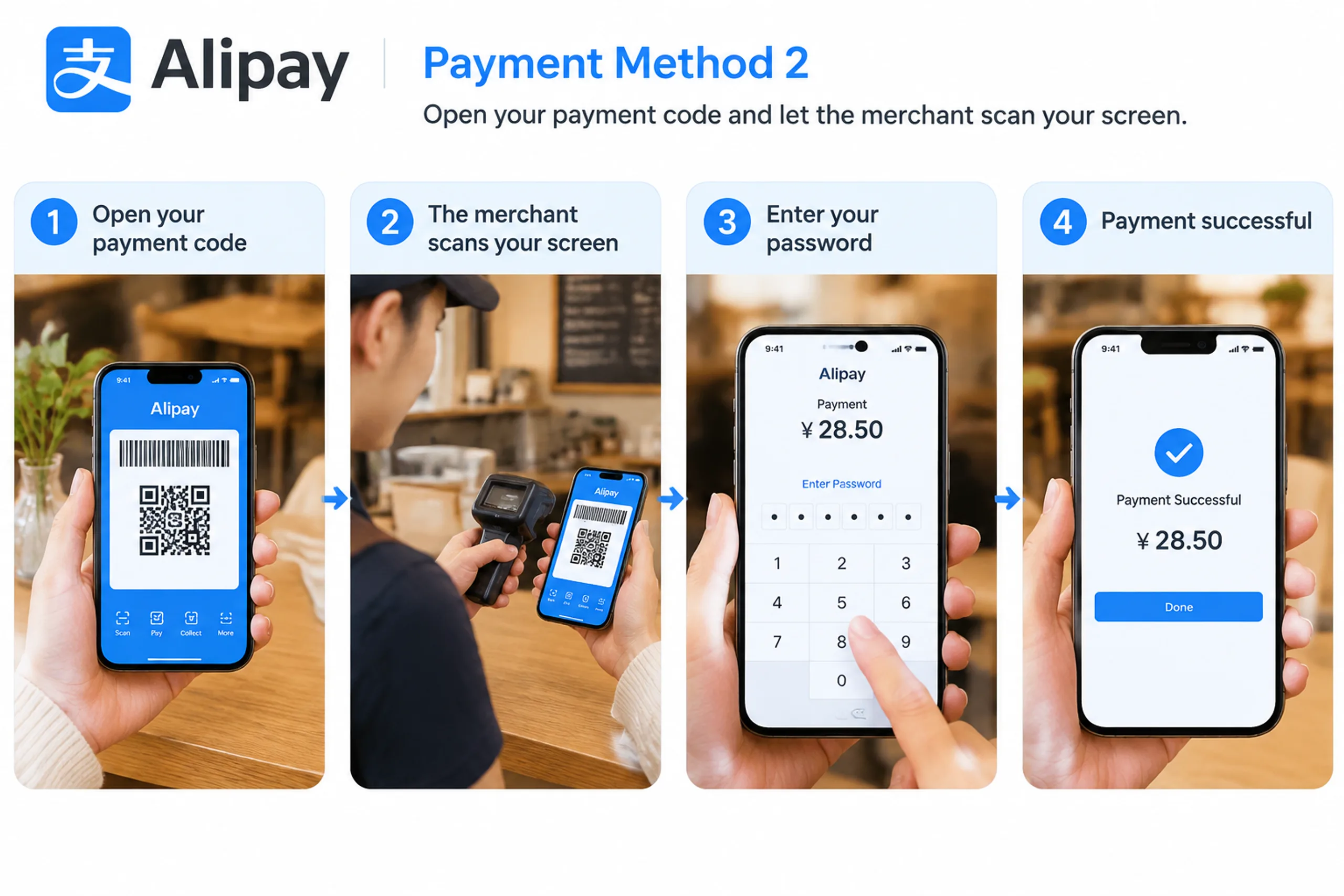
There are two normal QR-code flows:
You scan the merchant's code, enter or confirm the amount, and approve the payment.
You open your payment code and let the merchant scan your screen.
Look at the merchant name and amount before confirming. A QR code can lead to an order or service flow rather than a simple payment, and a busy counter is a poor place to discover that you have opened the wrong screen.
If the first payment fails, do not keep retrying without reading the reason. Check whether the card has been declined, the account needs another verification step, the merchant accepts that payment type, or the connection has dropped. Try the other QR flow, a different card, or cash. Keep the physical card with you even when the wallet has worked for several days.
04
Fees and limits
The fee shown by Alipay can depend on the transaction amount, the funding card and current international-card rules. Your bank may add a foreign-exchange or overseas transaction charge. Small payments, transport products and refunds may be treated differently from a standard retail purchase. Read the in-app notice before you confirm a large payment and keep the receipt or transaction record until the charge is settled.
If you want to order food delivery, you can do so directly via Alipay. You can search for various "Mini Programs"—such as high-speed rail maps or Meituan Delivery—within the app and use them without needing to download the standalone applications.
Additionally, if you need to take the subway or a bus to a specific destination, you can use the "Transport" (or "Travel") feature in Alipay to generate the necessary QR codes for subway and bus rides.
05
What to prepare alongside Alipay
Install the eSIM or roaming plan you will use, download an offline translation pack, and save your hotel address in English and Chinese. Alipay is much less useful if your phone has no data or if you cannot show a driver the correct destination. See our guides to Internet and eSIMs, essential travel apps, and maps in China.
Manjing Travel can explain which payment situations are likely on a planned route, but we cannot override a bank decline or guarantee that an overseas card will be accepted by every merchant. Bring two payment methods and test both before departure.
Updated 2026-10-13 by Manjing Travel.
Still have a question this did not answer?
A named planner replies within one working day. No call centre and no chatbot.
Ask a planner